Back to Integrations
Integration
Gong Integration for surfacing competitive insights from customer calls
- Instant insights on your competitors
- Monitor shared competitive intel
- Track every relevant intel
Step 1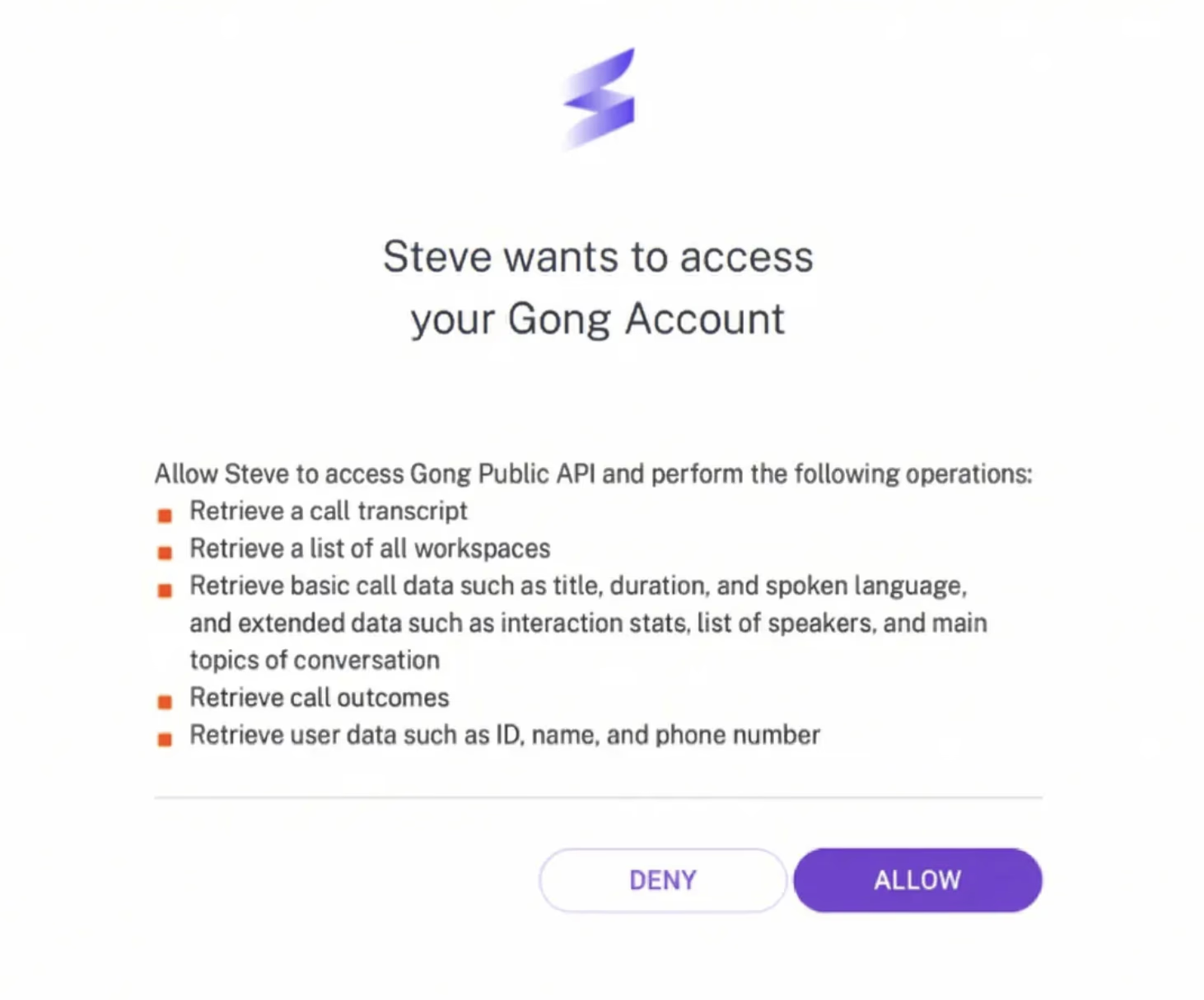
Get your Gong connected
- 1Navigate to the settings page, which is the last element on the navigation on the left-hand side, and click on the call recording tab; or open this URL.
- 2Under the Gong tab, click on the `Connect to Gong` button.
- 3Authenticate on the Gong OAuth page and that's it!
Step 2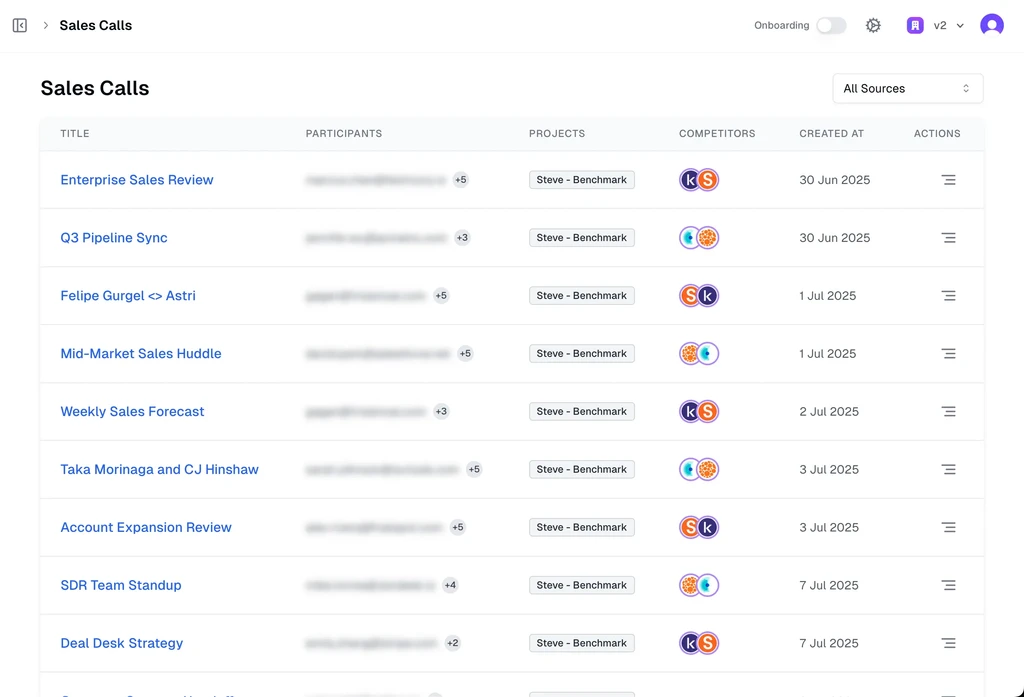
Get competitive insights from your Gong calls
- 1Once you integrate Gong, Steve automatically pulls transcripts from every call you run.
- 2Steve scans each transcript for mentions of your added competitors — including their strengths, weaknesses, objections, pricing hints, and positioning cues.
- 3You'll instantly get a clean insight summary for every call, showing exactly where your competitors were brought up.
- 4You can use these insights to update or generate real-time battle cards, without manually reviewing any call recordings.
Step 3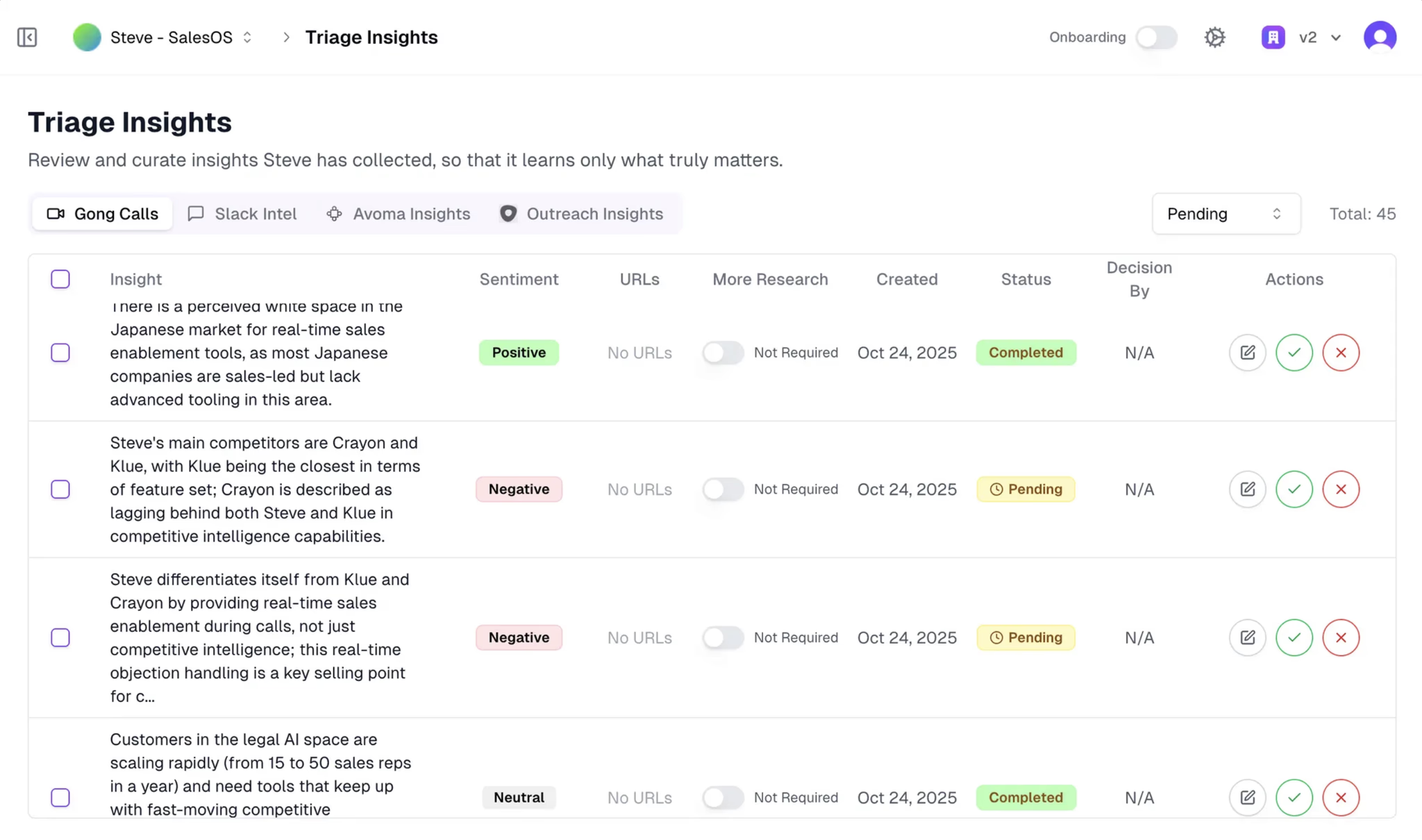
Triage insights collected from every Sales call
- 1Once Steve processes your Gong transcripts, every competitor-related insight appears here for you to review.
- 2Steve automatically detects mentions of your added competitors — including objections, comparisons, pricing discussions, and positioning signals.
- 3Each insight is tagged with sentiment and context so you can see how prospects talk about you versus competitors.
- 4You can approve, edit, or reject insights, helping Steve learn what truly matters before they are used in your battle cards.